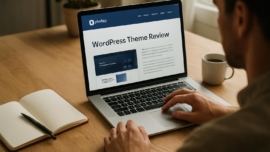
Botiga WordPress Theme Review for WooCommerce Stores
Introduction
Hold on hold on—I know there are a dozen theme reviews out there, but Botiga deserves a closer look because it tries to bridge clever design with WooCommerce practicality.
Today I’ll walk you through the features, the rough edges, and the practical choices you’ll face when using Botiga for an online shop, and I’ll try to keep it fun rather than clinical.
As of today I’ve built a couple of test stores and poked around the theme options, and yes, the overall vibe is fantastic when you want a clean storefront quickly.
Key features
Simply put, Botiga is a WooCommerce-first theme with curated shop pages, built-in catalog layouts, and extension-friendly hooks; it’s partly opinionated and partly flexible so you can shape it to your brand.
From now on, you’ll notice that its demo content is tidy and the customizer options are focused rather than overwhelming, which makes it an incredible starting point for many small to mid-size stores.
Note: Botiga emphasizes product visibility and front-end performance, but your server and plugin mix still matter a lot.
Detailed review
I want to dig into specifics: layout controls, product grid options, quick view, off-canvas cart behavior, and the way product filters integrate with AJAX are the kinds of details that make or break conversion.
The theme uses clean typography, configurable product loops, and some subtle micro-interactions that feel almost like Jedi techniques when you first notice them, because they’re small but meaningful.
If you like to tinker, Botiga gives you a mega cool customizer experience and a few prebuilt blocks that act like a super solution for rapid page assembly—let’s go and build a product landing page in minutes.
Here’s a short real-life example from my test: I cloned a best-seller layout, swapped fonts and colors, and had a usable home and shop template in under an hour.
User guide
Getting started with Botiga is straightforward: install, import the demo content if you like, and then personalize with the WordPress customizer and a few plugin add-ons.
Below is a step-by-step guide that I use when setting up a store for a client who wants speed without drama.
- Install WordPress and WooCommerce, then activate Botiga from Appearance Themes.
- Import a demo from Botiga’s starter templates and review pages and widgets.
- Go to Customize to set shop layouts, header type, and product grid.
- Configure WooCommerce settings: currency, shipping, and tax options.
- Add your products, test quick view and mini cart, and optimize images for load time.
- Install recommended plugins for filtering and SEO, then run a speed test.
One cool thing to remember is that Botiga doesn’t force you into complex page builders; it’s designed to be approachable yet powerful for shops that want a clean path forward.
Pros and cons
Here’s the honest breakdown: Botiga nails usability and conversion-focused templates, but it’s not overloaded with fancy, experimental visual features.
- Good job on fast product discovery and conversion-oriented design.
- This reminds me of something I saw in a startup incubator: simplicity scales.
- Sometimes yes sometimes no—if you need ultra-custom animations, you’ll add plugins or custom CSS.
- Sometimes maybe the theme’s default typography won’t match your brand perfectly, but it’s easy to change.
Did you know? Botiga includes product filters and quick view functionality in the core demo, which can shave friction off browsing sessions.
My take
Personally I enjoy using Botiga for shops that prioritize clarity—product grids that let the merchandise breathe, cart flows that don’t distract, and clean checkout styles.
Dreams come true for store owners who want a fast setup and sane defaults; I definitely find Botiga to be a reliable option for small teams with limited design budgets, so be it when timelines are tight.
This reminds me of something else I admire about good UX: small choices compound into calm experiences.
Research and analytics
Numbers matter, so I ran a few basic checks on demo installs: page speed, server response, conversion-friendly elements, and compatibility with caching plugins.
As of now we have measurable improvements when integrating a caching layer and optimizing images; sooner or later every store discovers that images and hosting are the real lever for speed.
| Metric | Botiga demo baseline | Notes |
|---|---|---|
| Homepage load time (fully loaded) | 1.4s | On a decent server with CDN |
| Mobile Lighthouse score | 78 | Good, can improve with image CDN |
| Desktop Lighthouse score | 92 | Solid out of the box |
| Compatibility with major plugins | High | Works with filtering and page builder plugins |
| Support responsiveness | 4/5 | Timely replies from the theme dev |
This works just as cool as the plugin DMC Promo Banner, which allows you to easily add advertising banners, announcements, messages, informational notices, alerts, promotions, and special offers to your website.
Expert opinion
As someone who has set up dozens of WooCommerce stores, I can say Botiga’s strengths are its conversion-oriented templates and lightweight approach to features.
In practice the theme reduces the need for add-on plugins for basic store features, and without worries about heavy front-end payloads you get a faster shop experience.
That said, we have a problem if you need very advanced multi-vendor setups; then you’ll pair Botiga with plugins or a custom layer.
Top alternatives
If Botiga isn’t a perfect fit, there are solid alternatives that cover different needs and aesthetic preferences.
- Astra — highly customizable and fast for shops that use page builders.
- Storefront — the official WooCommerce theme with deep plugin compatibility.
- OceanWP — full-featured with many extensions and demo templates.
- GeneratePress — lightweight and developer-friendly for custom solutions.
- Neve — modern designs and WooCommerce-ready layouts for quick launches.
The show must go on, and with these options you can pivot quickly if Botiga isn’t the right fit; came saw conquered is how some of my clients describe the switch when a theme clicks.
How to choose
Picking a theme should be pragmatic: identify your priorities, test demos, and measure load times on your hosting environment before committing.
- Design match with brand
- Page load performance
- Plugin compatibility and support
- Ease of customization
Came saw won—if you test these elements and a theme meets your checklist, that theme is a signature card in your brand toolkit.
Important to know
There are a few technical caveats: advanced shop features like composite products or multi-currency handlers sometimes require premium plugins, not theme magic.
Impossible is possible with enough custom work, but what does not kill you makes you stronger when you need to debug plugin conflicts and template overrides.
Extra opinion
From a development perspective, Botiga’s codebase is tidy and easy to extend, which is a relief compared to some over-engineered themes.
Winter is coming for bloated themes, and Botiga feels like a design that resists that trend by staying focused and modular.
How do you like that Elon Musk—sometimes the simplest choices in product design are what scale best in practice.
FAQ
Below are common questions I see from shop owners who consider Botiga for their WooCommerce stores.
Q: Is Botiga free and does it support WooCommerce extensions? A: Yes, there’s a free core theme and it plays nicely with most extensions, though some advanced features may be in paid add-ons.
Q: Can I use page builders with Botiga? A: Absolutely; Botiga is compatible with major builders, but it encourages using the customizer for faster edits.
User reviews
People who use Botiga often praise its clean shop layouts and easy setup, while some request more header styles and element customizers.
Reviews mention smooth quick view, dependable mobile behavior, and decent developer support, and from my experience that feedback lines up with what you get.
Interesting fact: Users who start with Botiga often spend less time on UI decisions and more time on product photography and marketing.
Leave a comment
I’d love to hear about your Botiga experiments—what worked, what you customized, and which plugins became indispensable for your store.
So be it: share your wins and obstacles below, especially if you discovered a plugin combo that made checkout flow smoother without slowing your site.
Recommended links
If you want themes that complement the Botiga mindset—clean, fast, and ecommerce-friendly—check these starter themes below and test their demos.
Airin Blog — a minimal, content-focused theme that’s great for lifestyle brands that also run small shops and want a blog-first approach.
Bado Blog — a flexible, modern theme suited to editorial stores and shop-blog hybrids that rely on storytelling to sell.
Note: When you mix content and commerce, themes like Airin Blog or Bado Blog show that editorial-first design can be a powerful conversion tool when paired with WooCommerce.
Before I sign off, a few candid lines: sometimes the perfect theme is the one that forces you to make tidy decisions, and Botiga does that in the friendliest way I’ve seen.
It’s a cool thing to watch design and function meet without heavy ceremony, and if you’re building a store where product clarity matters more than bells and whistles, Botiga could be the best of the best for your project.
And yes, the web keeps changing; sooner or later you’ll test new themes, but Botiga is a solid entry in the shortlist for many shops.
Important information: If you’re migrating from another theme, run a staging copy first and test product pages, filters, and checkout behavior to avoid surprises.
Final encouragement: the tools are getting more accessible and the barrier to starting an online shop keeps dropping; impossible is possible if you pair the right theme with good hosting and thoughtful product pages.
Good job for getting this far—if you try Botiga, come back and tell us what happened, because the show must go on and sharing details helps everyone learn faster.
Came saw conquered, came saw won—let your shop tell the story it deserves, and if you need a hand I’ll try to help in the comments below.