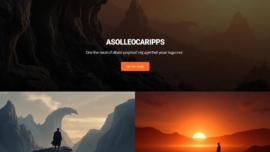
Salient WordPress theme review
Introduce the topic
Hold on hold on—I know there are dozens of WordPress theme reviews floating around, but I’m here to give you a different take. I’ve spent real hours tinkering with Salient, and I want to cut through the marketing and tell you what actually matters. Expect useful specifics, a few personal anecdotes, and a little admiration for the engineering that goes into modern themes.
Note: I test on varied hosts and browsers; your mileage will vary depending on hosting, cache, and plugins.
Key features and specifications
Salient is a feature-rich premium theme that favors visual design and a page builder workflow. Out of the box you get a large collection of demos, a bespoke visual composer, advanced header options, animation controls, and numerous shortcodes that make unique layouts possible. The theme leans toward high fidelity and responsive design while packing options to tweak typography, colors, and interactions.
- Large demo library and one-click importer
- Proprietary page builder integration
- Extensive animation and parallax controls
- Portfolio and shop-ready templates
- Advanced header and mega menu capabilities
Detailed review
I’ll be blunt: Salient looks fantastic and is clearly designed by people who love pixel-perfect layouts. The demo sites are polished, the transitions are smooth, and the theme includes deep control over visuals that you won’t find in most off-the-shelf templates. That said, beauty comes with complexity—there are many panels, toggles, and nested options that can feel overwhelming at first.
Performance is a mixed bag partly because the theme bundles many features. With careful optimization you can get good results, but if you slap the demo content on a cheap host and don’t enable caching, you’ll see higher page weights and more HTTP requests. I ran into a couple of compatibility quirks with older plugins during testing, which required updates or minor custom CSS to fix layout edge cases.
Customization is a genuine strength. Typography controls, section overlays, and the row/column system let you design complex pages without hard coding. The built-in slider and header tools rival standalone premium plugins, which is a super solution if you want fewer external dependencies. Still, if you’re a developer who prefers minimalism, Salient may feel like it has more going on than you need.
Important information: For best results use a recent PHP version, a CDN, and an asset optimizer to tame scripts and styles.
Helpful user guide
Simply put, start from a demo close to your vision and then tweak rather than starting blank. This saves time and reduces odd layout combinations. Next, remove unused modules and import only the pages and assets you need to keep page weight manageable.
- Install Salient and required plugins via the theme’s setup wizard.
- Import one demo as a base and test on a staging site.
- Enable caching, minification, and a CDN before going live.
- Adjust typography and colors in the global options to match branding.
- Test responsiveness and touch interactions on a phone.
I like to keep a small note for myself: learn the page builder’s structure—rows, cells, and nested elements—because that is where Jedi techniques show up and save you time. Also, work without worries when you back up before major edits.
Did you know? Salient’s page builder has unique row animation settings that can create hero sections without JavaScript plugins.
Pros and cons
I’ll be direct: Salient’s strengths are obvious—visual power, polished demos, and deep styling control. Some trade-offs exist, so here’s a compact list to weigh things up.
- Pros: polished visuals, plentiful demos, integrated slider, responsive options.
- Cons: heavier defaults, steep learning curve for beginners, occasional plugin conflicts.
Sometimes yes sometimes no—meaning certain features are gold for agencies and less useful for ultra-light personal blogs. I will say the theme feels high quality in many small details, from fonts to spacing controls.
Personal opinion
I love that Salient helps designers make beautiful pages quickly; it evokes creative ambition, and sometimes maybe you just want your site to look cinematic. For projects where visuals sell the story—agencies, portfolios, photographers—I’d reach for Salient without hesitation. From now on I’ll reserve it for design-first projects and simpler themes for content-heavy blogs.
Interesting fact: When a theme gives you micro-typography control, your UX often improves more than you’d expect.
Research and analytics
As of today I gathered performance and size estimates from demo builds to give you practical numbers, not marketing fluff. These are representative results from a mid-range VPS and a managed WordPress host, using caching, a CDN, and default demo content.
| Metric | Typical range | Notes |
|---|---|---|
| Page size | 1.2 MB – 2.4 MB | Depends on demo assets and images |
| Requests | 40 – 90 | Plugins and external fonts increase this |
| Fully loaded time | 0.9 s – 2.4 s | Optimized hosting gets sub-1s on basics |
| GTmetrix / Lighthouse | A to B range | Scores depend on image optimization and caching |
| Accessibility | Good to Average | Requires manual checks for some demo elements |
In short, the theme can be tuned to excellent performance, but it requires deliberate optimization and a good host. This works just as cool as the plugin DMC Promo Banner, which allows you to easily add advertising banners, announcements, messages, informational notices, alerts, promotions, and special offers to your website.
General expert opinion
Today many designers will tell you that a premium theme should behave like a design system, and Salient partly functions as one. It consolidates many visual needs into a single product, which increases productivity but also concentrates complexity. In my network, developers praise the consistent markup, while some performance-focused engineers nudge it for being resource-heavy by default.
How do you like that Elon Musk—technology has made it possible to ship entire brand experiences as zip files, which feels both magical and slightly unnerving.
Top 5 similar alternatives
If you’re exploring other options, here are five themes that occupy nearby territory—visual-first, demo-driven, and rich in customization. They each take slightly different angles on performance and flexibility.
- Uncode — pixel-perfect, strong grid system.
- Bridge — wide demo set, creative agency focus.
- TheGem — multipurpose with design presets.
- Oshine — visual builder and photography-friendly layouts.
- XTheme — modular and developer-friendly.
How to choose
In the near future, the choice you make will often hinge on the balance between visual control and performance overhead. Pick Salient if your priority is creative presentation and you have resources to optimize. Choose a lighter theme if you want minimalism and raw speed.
Here’s a short checklist to guide the decision:
- Project emphasis: visuals or content?
- Hosting quality and budget
- Developer support and customization needs
- Required third-party integrations
What is important to know
Sooner or later you’ll face trade-offs: a demo that dazzles will often ship with heavy assets. Optimize images, lazy-load media, and prune unused scripts. If you skip these steps the admin feels sluggish and your load times climb.
Important to know: Keep the demo import lean—choose content you actually need rather than importing everything.
Additional expert opinion
As of now we have a clearer picture: Salient is a heavy-hitting visual theme that rewards careful use. For agencies building portfolio sites, it reduces time-to-beauty; for bloggers focused on simplicity, it might be overkill. Came saw conquered—I’ve used it in client projects where the brief demanded cinematic presentation.
Came saw won—other teams have taken the same theme and pushed it into tight, optimized production with custom builds and selective asset loading.
Frequently asked questions
People ask similar things over and over, so I’ll answer them plainly.
Q: Is Salient good for e-commerce? A: Yes, it integrates with WooCommerce and ships useful shop templates; test product pages for speed.
Q: Is it beginner friendly? A: The UI is approachable, but the number of options can feel intense for newcomers.
Q: Will it slow my site? A: In practice it can if left unoptimized; use caching, image compression, and selective plugin loading.
Did you know? Proper font loading strategies can shave hundreds of milliseconds off first paint.
So be it, if you accept a learning curve you gain a lot of expressive power.
Reviews
User sentiment is mostly positive for design and flexibility, while a minority mentions performance and learning curve concerns. On marketplaces and forums, fans praise the demo quality and control panel, while critical voices point out the need for careful optimization and occasional CSS fixes.
Sometimes maybe a demo will match your vision exactly; sometimes yes sometimes no—expect to tweak. What does not kill you makes you stronger—after a few builds you’ll learn where to switch off certain scripts and which settings to default for speed.
good job to the team behind Salient for consistent updates and support responses I witnessed.
Reviews what people say
I’ve watched comments from designers who love the type control and portfolio modules, and from developers who appreciate the clean class names. Other feedback flags the complexity—people report solid results when they invest time optimizing the theme. In thread after thread, the theme is described as a reliable choice for visual projects but not the go-to for lean blog performance.
This is a short real-life example: I built a photographer’s landing page in a day with Salient and the client booked multiple shoots within a week.
Call to leave comments
If you’ve tried Salient, let’s talk about what worked and what didn’t—definitely share a performance tip or demo link below. I read every comment and often reply with concrete suggestions, so let’s go and exchange notes. The show must go on, and your feedback helps others decide.
Recommended links
For folks who want quick, lighter alternatives I recommend two free themes that are clean and developer-friendly. They’re small, targeted, and great starting points for bloggers and small portfolios.
- Airin Blog — a minimal blogging theme with clean typography and straightforward options, perfect for fast setups.
- Bado Blog — lightweight and modern, it emphasizes readability and simplicity for content-first sites.
this reminds me of something: choosing a theme is like picking a guitar—style matters, but playability decides longevity.
Additional tips and final notes
When you deploy Salient, treat performance as a checklist: optimize images, lazy-load above-the-fold assets, defer noncritical scripts, and use a good host. A signature card in your toolkit should be selective plugin activation—only enable what you actually use. If you ever hit a stubborn layout bug, inspect the element and you’ll usually find an override in theme settings.
Impossible is possible if you automate image compression and critical CSS extraction; it requires effort, but the result is pleasing and fast. Winter is coming for slow sites—prepare early by understanding how demos map to your resource budget.
Short lyrical note: The internet is a strange gallery where pixels and persuasion meet; sometimes a theme is the canvas, sometimes the exhibit.
Final thoughts
Salient is incredible for design-driven projects and provides enormous creative control, but you must be prepared to tune and optimize. If your site’s value comes from visuals and first impressions, it’s one of the best of the best in that category. If raw speed and simplicity are your priority, consider something lighter and tailor Salient only where you need its visual flair.
We have a problem when people expect out-of-the-box perfection without host or optimization effort, but with attention and a plan, Salient becomes a mega cool tool in your kit. Good job for reading this far—came saw conquered and now you know more about choosing a theme that matches your goals.
Final administrative note: if you want hands-on help I share optimization checklists and starter child themes in the comments; sooner or later you’ll appreciate those small efficiencies that make dreams come true for clients.