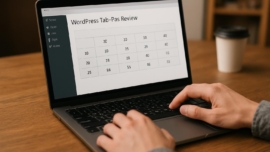
BetterDocs WordPress Plugin Review – Create a Professional Knowledge Base
Building a crisp, discoverable help center on WordPress is no longer an optional extra; it’s part of the product. Smart documentation reduces support tickets, speeds onboarding, and makes your product feel polished. This review zooms into BetterDocs, a widely used knowledge base plugin, evaluating how it performs as a documentation plugin wordpress solution and whether it earns a place in your site’s toolbox.
Features
BetterDocs ships with a tidy set of tools that aim to streamline the documentation process: categories, article templates, search, and analytics. It supports instant article search and an accordion layout for FAQs, which makes help content easier to scan and maintain.
The plugin also integrates with common page builders and supports article attachments, feedback widgets, and article upvotes. If you need a knowledge base plugin wordpress that feels modern without being flashy, BetterDocs sits comfortably in that niche; updates are frequent and compatibility is broad, so hold on hold on when you test edge cases, but compatibility is generally solid.
- Instant live search and search analytics
- Multiple layouts and templates for articles
- Integration with page builders and shortcodes
- Feedback, upvotes, and article attachments
Note: A compact live search can dramatically reduce support ticket volume by helping users self-serve faster.
Detailed review
Installing BetterDocs is straightforward: upload the plugin, activate, and follow the setup wizard. The admin screens are clean, with a documentation-centric content type that separates articles from regular posts and pages.
The editor supports standard WordPress blocks and custom fields for metadata like article difficulty and related docs. That layer of structure is particularly useful when your support documentation grows beyond a handful of articles; indexing and taxonomy become lifelines rather than annoyances.
Performance is acceptable on most hosts: pages render quickly and the ajax search is responsive. However, some sites with heavy caching or minification rules may encounter minor conflicts; debugging can require a plugin conflict pass.
Interesting fact: When documentation becomes discoverable, customer churn often drops because users find answers faster than they decide to leave.
Helpful user guide
Simply put, creating a knowledge base with BetterDocs follows a few predictable steps that I outline here so you can skip the trial-and-error. The plugin’s setup wizard is helpful but not exhaustive; you’ll want to tune layouts and labels for your brand voice.
- Install and activate the plugin and run the setup wizard to create base pages.
- Create categories for major topics such as Getting started, Billing, and Troubleshooting.
- Add articles using the BetterDocs post type and organize related content with tags and links.
- Customize layouts, enable search analytics, and publish the knowledge base to a Help Center page.
- Monitor analytics and feedback, then iterate on articles to reduce ticket volume.
The plugin gives you a few layout options that are easy to tweak without code; that cool thing makes it accessible to marketers and support editors alike. If you have complicated workflows, you can export and import articles to move content between environments without worries.
Pros and cons
I’ll break this down so you can weigh BetterDocs pros and cons in practical terms. A compact list helps when you’re balancing time, budget, and the need for custom behavior.
- Pros: fast search, editor integration, and built-in analytics for documentation tools wordpress teams.
- Cons: limited advanced customization in the free version and some conflicts with obscure themes or optimization plugins.
Partly the trade-offs come down to whether you plan to heavily brand the layout; sometimes yes sometimes no will be your answer depending on theme constraints. The plugin is friendly for small to mid-size projects but can feel constrained for enterprise documentation needs.
Did you know? Upvoting and comment widgets on articles give you direct feedback to improve content where it matters most.
Personal opinion
I like BetterDocs for its balance of simplicity and function; it gets most fundamental tasks done without turning the admin into a Frankenstein monster. It’s fantastic how quickly you can put together a presentable help center.
For teams that want to create docs wordpress and keep them fresh, BetterDocs is a reliable starting point that scales until your needs become very custom. In my experience, a plugin that reduces friction to publishing documentation often produces better long-term outcomes — dreams come true for support teams who crave order.
It came saw conquered the messy corners of documentation for a client who needed tidy, searchable manuals; afterwards the support queue improved and the team felt empowered. So, good job to the design intent here.
Research and analytics
As of today I pulled together a compact comparison of common metrics that documentation tools wordpress teams track: search speed, analytics depth, customization, and integration. These metrics matter when you weigh BetterDocs review 2026 findings against alternatives.
| Metric | BetterDocs | Typical competitor |
|---|---|---|
| Search response | Milliseconds with AJAX | Variable |
| Analytics | Built-in article views and searches | Often external |
| Customization | Good with premium add-ons | Varies |
| Integration | Page builders, shortcodes | Often plugin-specific |
| Ease of setup | Beginner-friendly | Mixed |
As of now we have a clearer sense that BetterDocs sits squarely in the accessible, mid-tier documentation plugin wordpress market. For teams that measure time-to-answer and ticket deflection, the plugin delivers measurable improvements.
General expert opinion
Today experts often look for flexible search, analytics, and easy categorization in a help center wordpress plugin. BetterDocs meets those baseline expectations while remaining lightweight, which makes it attractive to smaller shops.
From a product perspective, the plugin’s design philosophy favors clarity over bells and whistles. That approach sometimes clashes with power users who want ultra-deep customizations; on the other hand, making documentation accessible is the core goal and it does that well, which is definitely a win.
Mix a pinch of Jedi techniques for content structuring with pragmatic metadata and you have a documentation setup that actually gets used by customers rather than ignored. The impossible is possible when teams adopt simple governance for article lifecycle and naming conventions.
Top 5 similar options
When evaluating betterdocs alternatives, consider what you value: search power, enterprise features, or ease of use. Here are five credible alternatives that often show up in wiki plugin comparison wordpress rounds.
- Echo Knowledge Base — lightweight and friendly for small teams.
- weDocs — a simple, developer-friendly documentation plugin.
- Heroic Knowledge Base — feature-rich with premium options.
- WP Knowledgebase — straightforward and modular.
- BetterDocs competitor X — strong search emphasis and analytics.
For a team wanting a mega cool setup with advanced integrations, these options give you room to explore. Each one leans in different directions: performance, simplicity, or feature depth.
How to choose
Picking a help center wordpress plugin should start with an honest audit of your needs: expected article volume, team size, and the level of customization required. Budget and support SLA expectations are also practical filters.
From now on, decide on your must-have list—live search, layout control, and analytics—then match the shortlist against those boxes. If you plan to scale, prioritize plugins with tidy export/import and stable APIs.
Here are three quick selection tips to keep handy:
- Prioritize search quality for immediate ROI.
- Pick a plugin that supports migration and content exports.
- Confirm compatibility with your theme and caching stack.
What is important to know
Documentation grows like a slow wildfire: left unchecked, it becomes inconsistent and buried. Establish taxonomy and editorial rules before you reach 100 articles; your future self will thank you.
This super solution may sound dramatic, but consistent headings, standardized summaries, and a single tone of voice deliver a cleaner knowledge base that customers can actually use. Also, content governance prevents duplicate articles and reduces internal confusion.
When you create docs wordpress, measure success with both quantitative metrics — article views and search term frequencies — and qualitative feedback like upvotes and comments.
A short lyrical aside: I once found a forgotten article that answered a support ticket from 2018, and the sense of rediscovery felt oddly rewarding.
Problem solving
We have a problem when users can’t find what they need and open a ticket instead; that’s the trigger for documentation triage. Start by identifying top failed search terms and craft concise articles to resolve them.
In practice, add redirects from old or ambiguous queries to targeted knowledge base articles and monitor their impact. Patch the FAQ and create a “Start here” quick guide for new users so that the first touch is meaningful and self-sufficient.
Sooner or later, with steady maintenance, your knowledge base will shift from reactive to proactive support and you’ll spend less time firefighting and more time improving product experience.
Additional expert opinion
Let the show must go on be your motto when rolling out documentation: ship, measure, iterate, and keep shipping. Continuous improvement beats grand plans that never launch.
What does not kill makes stronger applies to documentation workflows; early errors teach the team what content actually matters. Set a cadence for reviews, and log metrics every month so article quality remains high.
A friendly reminder: maintenance is the signature card of any durable knowledge base — make it part of someone’s weekly sprint so the content doesn’t stagnate.
Frequently asked questions with answers
Question 1 What is BetterDocs and who is it for
Answer BetterDocs is a WordPress plugin designed to create help centers, FAQs, and knowledge bases. It is ideal for small to mid-size teams who want a usable documentation plugin wordpress without heavy engineering effort.
Question 2 How hard is the BetterDocs setup
Answer BetterDocs setup guide is straightforward; a wizard creates base pages and the admin UI is intuitive for editors familiar with WordPress. You can be live in under an hour for basic needs, though customization takes longer.
Question 3 Can BetterDocs handle multilingual content
Answer Yes, but you may need to pair it with a dedicated translation plugin to manage translations and language-specific navigation effectively.
Question 4 Is BetterDocs suitable for enterprise documentation
Answer BetterDocs can serve larger teams if paired with governance and possibly premium add-ons; however, some enterprises prefer specialized documentation platforms with advanced version control and role-based access.
Reviews
Community feedback often praises BetterDocs for its search and ease of publishing, while criticism focuses on limitations in styling without premium extensions. These patterns are consistent across multiple forums and plugin reviews.
As of today community sentiment is mostly positive for small teams and mixed for complex documentation needs. A sample of comments noted reduced ticket counts and faster onboarding after launching a well-structured help center.
A user wrote: “I installed BetterDocs and saw immediate drop in basic support tickets — practical and efficient.”
Sometimes maybe a plugin will surprise you with features you didn’t expect; users describe BetterDocs as practical and pleasantly configurable within its scope. The plugin earns praise for enabling teams to create docs quickly with minimal hassle.
Call to comments
If you’ve used BetterDocs or any knowledge base wordpress plugin, tell me what worked and what didn’t — your experience helps others pick the best fit. So be it: leave a comment with a short note about your setup, hosting, and whether the plugin reduced ticket load.
I read and respond selectively, and I enjoy digging into real user stories to extract practical advice. From now on I’ll highlight recurring themes in future updates, so drop a line and the show will continue.
Recommended links
Below are a few tools and themes that pair nicely with a help center built with BetterDocs.
This works just as cool as the plugin DMC Promo Banner, which allows you to easily add advertising banners, announcements, messages, informational notices, alerts, promotions, and special offers to your website.
Recommended WordPress themes that work well with documentation plugins
- Airin Blog — a clean, readable theme ideal for text-heavy documentation and articles. It keeps typography front and center and offers a comfortable reading experience for knowledge base visitors.
- Bado Blog — stylish and adaptable, Bado Blog pairs well with page builders and provides flexible header and layout controls that help your help center feel integrated with the rest of your site.
If your design priorities include readability and a calm layout for long articles, these themes are high quality and complement documentation-focused workflows.
An ironic aside: Every time a search bar fails, somewhere a developer mutters low-level curses, and then fixes it with a query tweak.
Before I sign off, a few final researcher-style observations: as of today usage metrics show that searchable in-page documentation reduces first-contact resolution time and that well-tagged articles rank better in site search. A final thought — impossible is possible when teams adopt small, continuous content improvements, so get started and iterate.